Become an AI expert.
No code, no maths, nothing assumed. Learn how AI really works and how to get real results from it every day, in lessons you can play with instead of a textbook you scroll past.
One payment · lifetime access · team seats from $12.50
02 · Under the hood · What a neural network is
0.9 × 0.80 + 0.3 × −0.50 + 0.6 × 0.30 = 0.75 → rule → 0.75
The total is above zero, so the rule lets all of it through.
An interactive in two steps. First, one artificial neuron: three input numbers, each multiplied by an adjustable weight, added into a total, then passed through a rule that sends nothing on when the total is below zero. Second, the same neuron stacked into a small network of rows, where changing an input ripples through row by row, any neuron can be opened to show its sum, and shuffling the weights gives the same inputs a different answer.
You ask for a long document and the reply stops mid-sentence every time. Which limit is that?
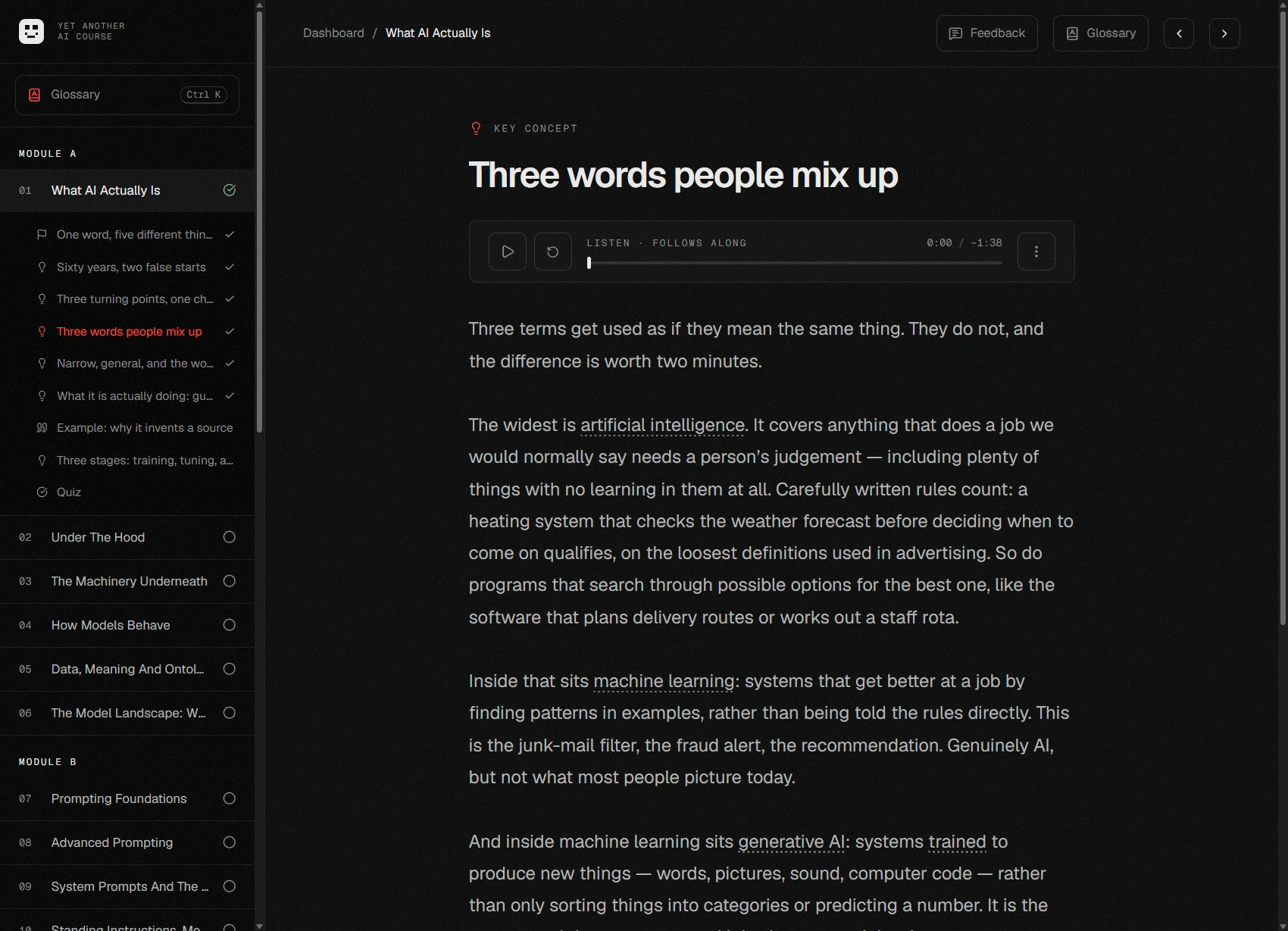
Read it, or hear it read.
Every lesson has a narrated track, and each word lights up as it's spoken, so you can switch between reading and listening mid-paragraph without losing your place. Speed it up to 1.5× once the ideas start to sound familiar.
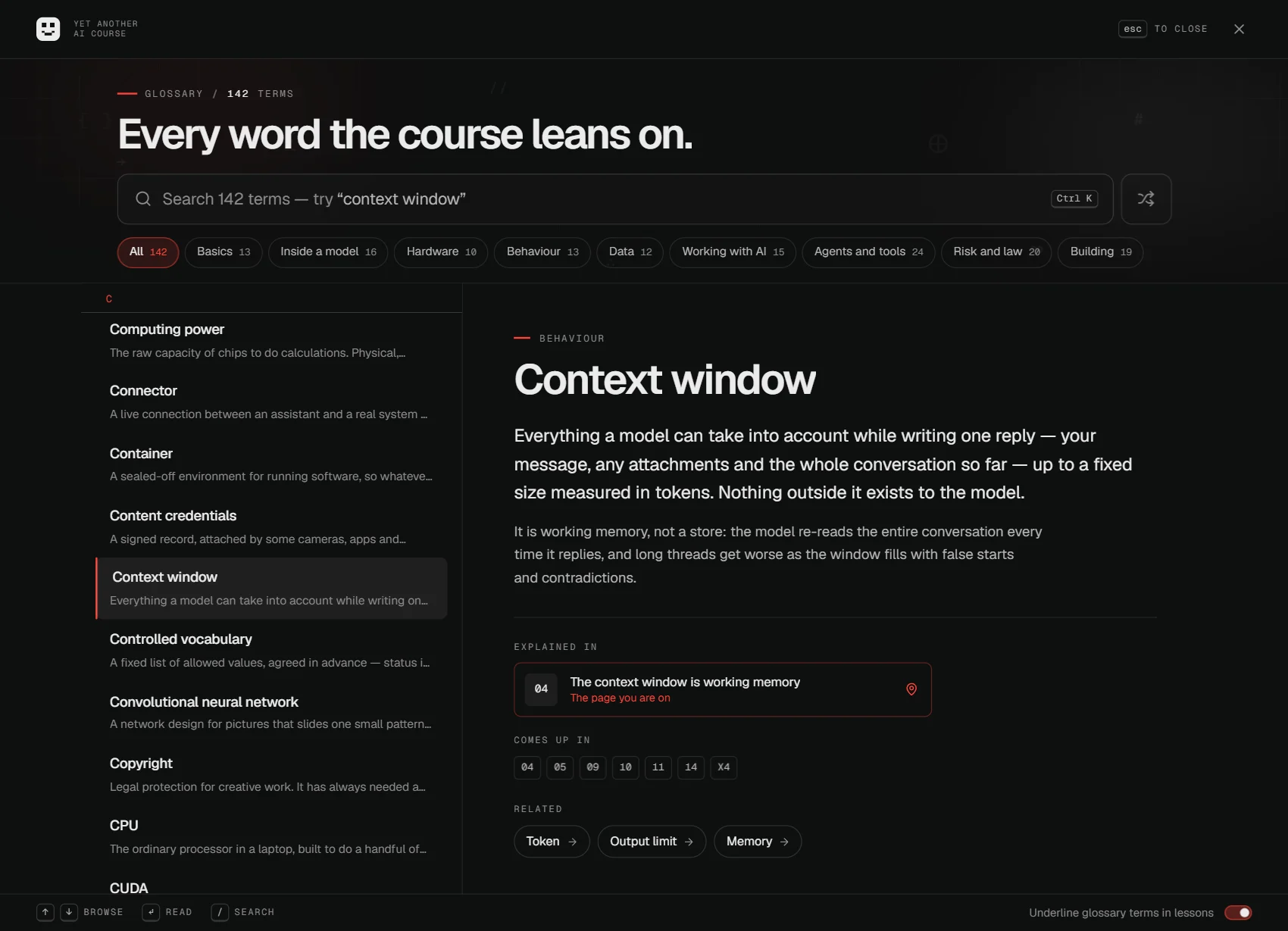
Every term, one keystroke away.
The first time a term appears on a page it gets a dotted underline: hover it for a short definition, or press Ctrl K for the whole glossary: searchable, filtered by topic, and pointing back to the lesson that explains each word.
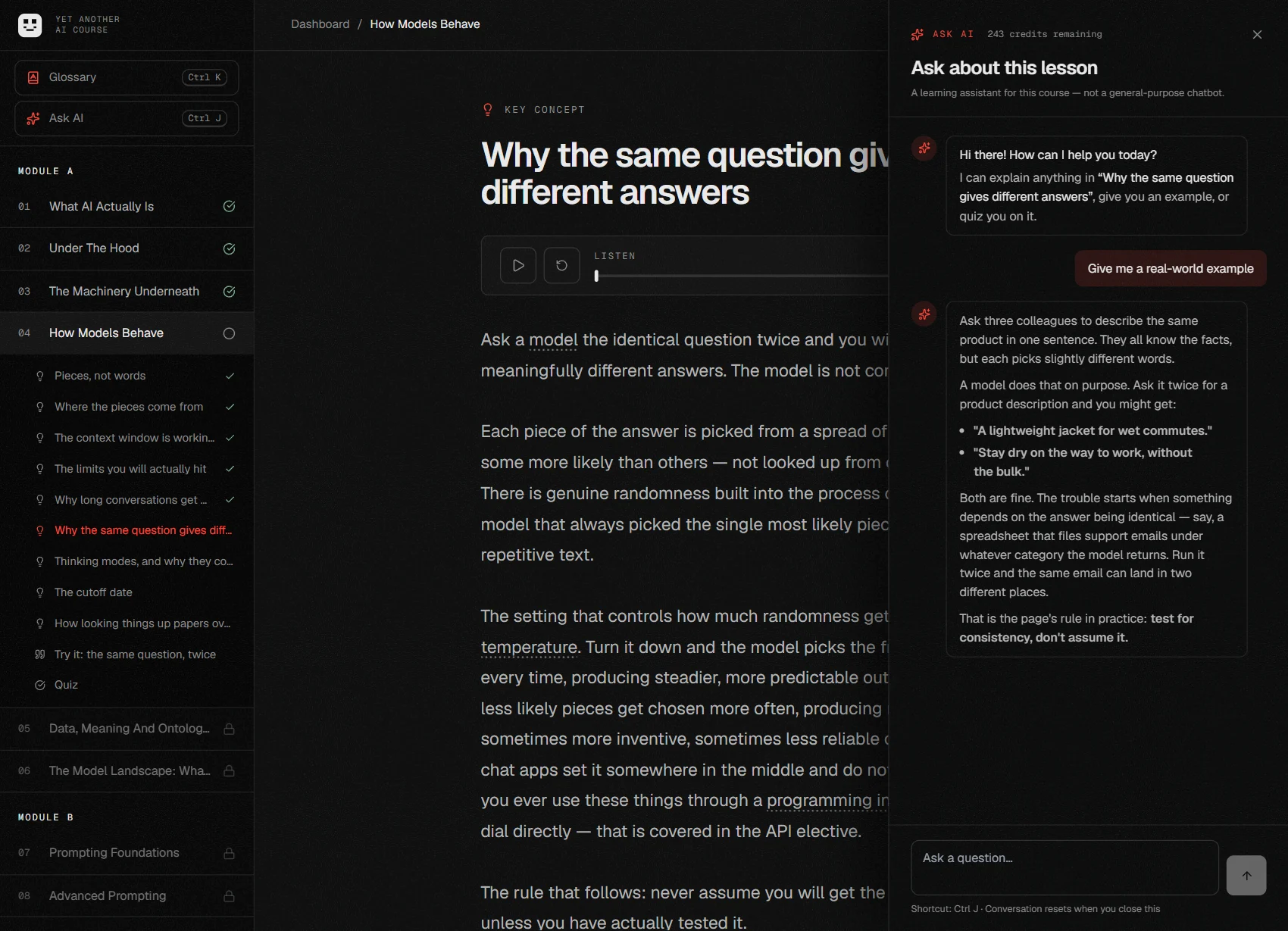
Ask about the page you're on.
Stuck on an idea? Press Ctrl J and ask. The assistant has already read the lesson in front of you, so “explain this more simply” or “give me an example from my job” gets an answer about this page, not a generic one.
Ideas you can take apart.
When an idea is really a mechanism, the lesson hands you the controls. This is the neuron from section 02, working: drag a weight or change an input and every number moves, because every number is actually computed. There are around seventy of these across the course, each built for its own page.
Prove it before you move on.
Every section ends in a short checkpoint, and the next one opens only when you get every answer right. Miss one and you see why before you try again, with the questions and options reshuffled so memorising positions doesn't work. The question above is a real one from the course.
Real skills,not vocabulary.
Four things you probably can't do today and will be able to do in fourteen hours. Each one is practised on your own stuff, not a toy example.
Explain it without bluffing
What's actually going on inside a model, in plain words: how your text gets chopped into tokens, why it sometimes makes things up, what happens to the things you type in, and who else can see them.
Get real results, every day
How to ask so you get what you meant: structure, system prompts, memory, skills and connectors like MCP, plus documents, images, voice and small automations. None of it needs code.
Know where the line is
Simple habits for checking its work, a traffic-light rule for what's safe to share, and the basics of copyright, hiring rules and the EU AI Act, without the legalese.
Put it to work on something real
You finish with a thirty-day plan: three tasks from your own life or work, a way to check each one, and check-ins at day 7, 14 and 30 so you know it worked.
Every section,every page.
Twenty-five sections and four extras, in the one order that makes sense: each builds on the last, and a short quiz opens the door to the next. Every page is listed below, so you can see exactly what you're getting. Nobody finishes by scrolling.
01What AI Actually Is9 pages · 25 min+
A plain picture of what these things are, with no maths and no hype. Everything later in the course leans on this, and it heads off the two ways people usually get it wrong: treating it as magic, or treating it as a search engine.
- 01One word, five different things overview
- 02Sixty years, two false starts
- 03Three turning points, one chat window
- 04Three words people mix up
- 05Narrow, general, and the word nobody agrees on
- 06What it is actually doing: guessing what comes next
- 07Example: why it invents a source example
- 08Three stages: training, tuning, and you
- 09Quiz quiz
02Under The Hood13 pages · 35 min+
How one of these things actually learns, and where the different designs came from. You can skip it without breaking anything later. People who read it stop being surprised by the odd things models do, because they can see where the behaviour comes from.
- 01What a neural network is
- 02How it learns: guess, score, nudge
- 03It squeezes patterns, it does not keep a copy extended reading
- 04Learning the examples instead of the lesson
- 05Networks built for pictures
- 06Networks built for sequences
- 07Transformers, and paying attention
- 08From raw model to something worth talking to
- 09Three ways to learn
- 10You have already met reinforcement learning
- 11The people you never see extended reading
- 12One design, many senses
- 13Quiz quiz
03The Machinery Underneath13 pages · 30 min+
Chips, then cost, then where your words physically go, then what it all burns, because each one explains the next. This is the section that lets you answer the four questions people keep asking you about AI without having to say you do not know. You can skip it, though section 18 assumes you know the four places a model can run.
- 01Why a no-code course has a hardware section overview
- 02Why these particular chips
- 03Two very different bills
- 04The Nvidia question
- 05The alternatives
- 06What one of these buildings is actually like
- 07Why you get told to slow down
- 08Four places a model can run
- 09When it is worth taking more control
- 10Electricity
- 11Water
- 12What to actually say when someone asks extended reading
- 13Quiz quiz
04How Models Behave11 pages · 30 min+
Pieces of words, working memory, limits, randomness, thinking modes and the cutoff date. These few mechanics sit behind almost every strange result you will ever get, and once you can name the one at work, you can usually fix the result.
- 01Pieces, not words
- 02Where the pieces come from
- 03The context window is working memory
- 04The limits you will actually hit
- 05Why long conversations get worse
- 06Why the same question gives different answers
- 07Thinking modes, and why they cost more
- 08The cutoff date
- 09How looking things up papers over the cutoff
- 10Try it: the same question, twice try it
- 11Quiz quiz
05Data, Meaning And Ontologies14 pages · 30 min+
The other half of the machine. The two shapes data comes in, what a schema, a taxonomy and an ontology each add, and how meaning gets turned into numbers so things can be found by what they mean. Then why inconsistent naming is the failure you are most likely to meet when AI is pointed at your organisation’s own information.
- 01The other half of the machine overview
- 02The tidy and the messy
- 03A schema is a promise about shape
- 04Agreeing what the words mean
- 05What an ontology actually is
- 06What an ontology buys you
- 07Example: the same question, with and without one example
- 08Knowledge graphs: the ontology, filled in
- 09Turning meaning into numbers
- 10What that changes
- 11Metadata: the label on the box
- 12Why messy naming breaks AI specifically
- 13Try it: write down what your world contains try it
- 14Quiz quiz
06The Model Landscape: What To Actually Open9 pages · 25 min+
How to choose, plus a dated snapshot rather than a league table. Rankings change faster than any course can be rewritten, so this teaches you the shape of the market and leaves the specific names as something to re-check yourself.
- 01Pick one, keep a spare overview
- 02What actually differs between them
- 03The main ones, side by side example
- 04Where open models fit
- 05Big and small in the same family
- 06Three costumes, one model
- 07When your organisation has already picked one
- 08Asking for an exception
- 09Quiz quiz
07Prompting Foundations9 pages · 25 min+
The four things that turn a useless first draft into a usable one. The argument of the section: prompting is not a bag of tricks, it is a supply problem. You get generic answers because you handed over a generic situation.
- 01Vague in, vague out example
- 02The four ingredients
- 03Role and task
- 04Context
- 05Format
- 06Example: the same request, twice example
- 07Show, do not just describe
- 08Try it: rewrite one of your own try it
- 09Quiz quiz
08Advanced Prompting9 pages · 25 min+
Where section 07 was about supplying information, this is about controlling the process. The order of the thinking, the order of the work, the shape of what comes back, and how to revise a draft without losing the good parts: the moves that matter once a job takes more than one exchange.
- 01Ask for the thinking first
- 02Break long jobs into steps
- 03Chaining, and where to stand
- 04Ask for a fixed shape when something else reads it
- 05Name the fields before you ask
- 06Make it criticise itself
- 07Fixing a draft without losing the good parts
- 08Try it: build something you will reuse try it
- 09Quiz quiz
09System Prompts And The Instruction Stack13 pages · 30 min+
Every answer you have ever received was shaped by instructions you did not write. This is what those instructions are, who sets them, what happens when they disagree with yours, why a model seems to forget them, and why an instruction steers the model but cannot enforce anything.
- 01There is always a prompt you did not write overview
- 02The layers
- 03What is actually in one
- 04Where your own instructions actually go
- 05Example: one question, three system prompts example
- 06Writing one that works
- 07What actually hurts
- 08When the layers disagree
- 09Text it fetched is not text that instructs extended reading
- 10Why it seems to forget
- 11It is not a secret
- 12Try it: write one for a job you do try it
- 13Quiz quiz
10Standing Instructions, Memory And Projects11 pages · 30 min+
Fifteen minutes of setup that pays back on every conversation. Four ways a tool can remember things about you, what each is for, how memory works underneath, and the ways it goes wrong without telling you.
- 01Stop explaining yourself every time overview
- 02Four different kinds of remembering
- 03What belongs in standing instructions
- 04What does not belong in them
- 05Projects and workspaces
- 06How memory actually works
- 07What gets saved, and how to see it
- 08The quiet failure extended reading
- 09Memory when other people are involved
- 10Try it: fifteen minutes, paid back daily try it
- 11Quiz quiz
11Skills, Connectors And MCP14 pages · 35 min+
How an assistant gets given a whole procedure instead of a message, and how it gets plugged into the systems you already use. Both are genuinely useful, both hand something real away, and both are routinely installed by people who have never been told what they are agreeing to.
- 01Handing over more than a message overview
- 02What a skill is
- 03How it loads, and why that matters
- 04Example: one skill, start to finish example
- 05Risk one: instructions are trusted
- 06Risk two: where it came from
- 07Risk three: the quiet ones
- 08Reading one before you use it
- 09Connectors and MCP
- 10What connecting one actually grants
- 11The risks specific to connections
- 12Deciding to connect one
- 13Try it: audit what you have already connected try it
- 14Quiz quiz
12Beyond Text: Pictures, Voice And Everything Else14 pages · 35 min+
The other half of everyday use. Reading a photo, making a picture, talking instead of typing, getting a first draft of a deck out of a document. The point is not that these features exist. It is the handful of things each one is good at, and the specific places each one lets you down.
- 01A photo is a prompt
- 02What it reads well, and what it gets wrong
- 03Cameras that watch, count and recognise
- 04How a picture gets made
- 05What that mechanism explains
- 06Making pictures, honestly
- 07Where making pictures still falls down
- 08Editing rather than starting again
- 09Talking instead of typing
- 10Transcription and its ceiling
- 11Opening doors, and who it fails
- 12Documents, slides and spreadsheets
- 13Where this quietly changes the job
- 14Quiz quiz
13AI In Your Daily Work9 pages · 25 min+
Where it saves hours in an ordinary week: drafts, meetings, inboxes and thinking out loud. This is the turn from what it can do to what you do with it, and the audit at the end is what makes the final plan in section 25 possible.
- 01Two questions before you hand anything over
- 02Example: four tasks, worked through example
- 03Draft, do not publish extended reading
- 04Meetings
- 05Recording other people
- 06Inboxes
- 07Thinking out loud
- 08Try it: audit your week try it
- 09Quiz quiz
14Working With Documents And Data10 pages · 25 min+
Looking things up, long documents, and numbers, with the specific ways each one fails. This is the section that turns “the AI got it wrong” into “I asked it to do something it structurally cannot do”.
- 01Give it the document
- 02What is actually happening when you “ask your documents”
- 03How the looking-up goes wrong
- 04The thing that is not there extended reading
- 05Long documents
- 06Map first, then drill
- 07Numbers deserve a calculator
- 08Did it calculate, or did it guess?
- 09Asking for sources, and meaning it
- 10Quiz quiz
15Light Automation Without Code10 pages · 25 min+
The “no code needed” promise, actually delivered. Having AI build the thing that does the job, whether a formula, a workflow or a small script, rather than doing the job for you each time.
- 01Do the job, or build the thing that does the job overview
- 02Is it worth automating at all?
- 03Writing formulas you could not write yourself
- 04Test it on rows where you know the answer extended reading
- 05Workflow builders
- 06Four things to check before you switch it on
- 07Scripts and scheduled tasks
- 08You own it whether or not you can read it extended reading
- 09Try it: automate one thing try it
- 10Quiz quiz
16Agents And Automation12 pages · 35 min+
What changes when a model can take actions rather than only answer. Section 15 was AI helping you build automation; this is AI being the automation. The question of whether an action can be undone starts here and carries through the rest of the course.
- 01From answering to doing
- 02Where the line actually goes
- 03Example: the line, drawn example
- 04Instructions from strangers
- 05Walkthrough: an agent that reads your email example
- 06What “connected” actually grants
- 07Read-only is a different product extended reading
- 08It aims at what you measure extended reading
- 09When agents hand work to other agents
- 10When your agent meets theirs
- 11Where agents genuinely pay off
- 12Quiz quiz
17Getting It Wrong, And Catching It13 pages · 35 min+
The failures that cost people their reputation and their money, and the habits that catch them. Every earlier example that went wrong is classified here, each kind with its own check, and the section ends with the people who will try to fool you on purpose.
- 01Confidence tells you nothing extended reading
- 02Five ways of being wrong
- 03The one that is hardest to catch extended reading
- 04The things to check every single time
- 05Bias it absorbed
- 06The bias in you
- 07It agrees with you too much
- 08Asking it why is not the same as knowing why
- 09Untrusted text, one more time
- 10When the voice on the call is not them
- 11Checking a person is who they seem
- 12Try it: find the error try it
- 13Quiz quiz
18Privacy, Data And Company Policy9 pages · 25 min+
What you can paste in, what you cannot, and how to write a rule people actually follow. Section 03 covered where the machines physically are; this is about what happens to your words once they get there.
- 01Where do your words actually go?
- 02Four questions worth an actual answer
- 03The traffic-light rule
- 04Stripping the specifics
- 05Three harmless details, one organisation extended reading
- 06Shadow AI
- 07A policy people actually follow
- 08Try it: find out what actually applies to you try it
- 09Quiz quiz
19Copyright, Ownership And Credit9 pages · 25 min+
Section 18 was about your material going in. This is about what comes out: who owns it, whether you can use it, and when you have to say AI was involved.
- 01Who owns what comes out overview
- 02What the vendor’s terms actually give you
- 03Using AI on things you did not write
- 04The cases about training data
- 05When it reproduces somebody else’s words
- 06Checking what you publish
- 07Saying AI was involved
- 08Credit that means something
- 09Quiz quiz
20The Rules, And Who They Apply To10 pages · 30 min+
A straight map of AI regulation. The point is the shape: risk levels, and who carries which duty. When the specifics change, and they will, you can slot the new version into a structure you already understand.
- 01Rules about uses, not about technology overview
- 02The things that are simply banned
- 03Levels of risk
- 04Rules for the model makers
- 05Which one are you?
- 06Everywhere that is not the EU
- 07Existing rules did not go away extended reading
- 08A right to an explanation
- 09Try it: map your own exposure try it
- 10Quiz quiz
21AI In Hiring And HR10 pages · 30 min+
Hiring gets its own section because it is where the rules have landed hardest and where a bad tool discriminates against thousands of people at once, quietly, with a veneer of fairness.
- 01Where it already sits
- 02You are further in than you think
- 03How these tools discriminate
- 04Accurate on average, unlawful for some extended reading
- 05Tools that claim to read people
- 06The rules that already apply
- 07What to ask a vendor
- 08Applications written by AI
- 09The human floor
- 10Quiz quiz
22Choosing And Judging Tools9 pages · 25 min+
How to judge an AI product on evidence rather than on a demonstration, and then how to choose: use the chat, buy or build, what “train it on our data” really means, and what a tool costs. Elective X3 turns the same discipline on things you build rather than things you buy.
- 01Every demo is the best take overview
- 02Twenty of your own cases
- 03Building one properly
- 04Questions a vendor should answer without flinching
- 05Build, buy, or just use the chat
- 06“Can we train it on our own data?”
- 07What tuning a model is actually for
- 08What it actually costs
- 09Quiz quiz
23Leading A Team Through Adoption10 pages · 25 min+
How to get a group from “we did the training” to “the work is actually different”, and how to tell whether it worked without lying to yourself in the report.
- 01Why training on its own changes nothing overview
- 02Start with tasks, not tools
- 03The four real objections
- 04Answering each without brushing it off
- 05The honest conversation about jobs
- 06How it actually spreads
- 07Shared prompts and stated norms
- 08Measuring it without fooling yourself
- 09Report what got worse extended reading
- 10Quiz quiz
24What Comes Next12 pages · 30 min+
A look forward built around one documented episode rather than a list of predictions. The job of this section is to leave you with a way of reading AI news that keeps working after the specific story in it has aged.
- 01Reading AI news without being sold to overview
- 02Three trends with real evidence
- 03A worked example: a capability arrives example
- 04A worked example: the response example
- 05A worked example: the sceptics example
- 06What the episode teaches
- 07When it leaves the screen
- 08Two ideas that still apply
- 09What is genuinely unresolved
- 10What it means for your job
- 11Try it: keeping up without drowning try it
- 12Quiz quiz
25Capstone: Your 30-Day Plan7 pages · 25 min+
Turning ten hours of reading into three things still happening next month. This course is not for knowledge. It is for a small number of changed habits, and this is where you write them down.
- 01Why most training changes nothing overview
- 02Try it: choose three tasks try it
- 03Try it: write your own rules try it
- 04Try it: set your workspace up try it
- 05The checkpoints that make it stick
- 06If you are rolling this out to other people
- 07Quiz quiz
X1Being The Answer, Not The Link11 pages · 25 min+
How to be the source an AI assistant names when somebody asks about your area. It is an elective because it is role-specific, but for anyone responsible for content it is the one with the clearest payoff.
- 01The searches that never reach you overview
- 02What it does to your numbers
- 03What answer engines actually reward
- 04Habits from the keyword era that now hurt
- 05Writing that survives being cut up
- 06The technical floor
- 07Off your own site
- 08Saying the same thing everywhere
- 09Measuring it
- 10Try it: run your question set try it
- 11Quiz quiz
X2Engineering And Design With AI14 pages · 45 min+
Building software and interfaces with AI. The oversight that keeps suggestions and generated code safe is reading them, and it does not survive the step to an agent that writes the change on its own. What an agentic coding tool is, the three guardrails that replace reading, the oversight dial, reviewing code you did not write, and where design work with these tools helps and where it misleads.
- 01The ladder overview
- 02Where the oversight breaks
- 03What an agentic coding tool actually is
- 04The harness decides what it can touch extended reading
- 05Working with Claude Code, concretely
- 06Guardrail one: what it may do without asking
- 07Guardrail two: where it may do it
- 08Guardrail three: checks that do not need you
- 09Oversight is a dial, not a switch
- 10Reviewing code you did not write
- 11Designing interfaces in conversation
- 12Making design work actually usable
- 13Try it: set the guardrails for one repository try it
- 14Quiz quiz
X3Testing What You Build11 pages · 30 min+
Section 22 applied the evidence discipline to products you buy. This applies it to things you build. A test set is the only thing that tells you whether last week’s change helped or quietly broke three cases.
- 01Judging by eye stops working almost immediately overview
- 02What one actually is
- 03Build the set from real traffic
- 04Unambiguous checks first
- 05Graded checks, and using a model as the judge
- 06Pin the versions, run on every change
- 07Pick the measure that matches the harm
- 08Reading failures beats reading the score
- 09Watching it in production
- 10Try it: build a twenty-case set try it
- 11Quiz quiz
X4Building With The APIs15 pages · 40 min+
What it means to reach a model directly from your own program rather than through a chat window. Everything the chat window did quietly becomes your job, from keys and cost to memory and safety, and most of what breaks in production is some part of that job left undone.
- 01What an API actually is overview
- 02Keys, and why they matter
- 03What a request actually looks like
- 04The dials
- 05The dials are already changing
- 06Getting answers in a fixed shape
- 07Letting it use your tools
- 08Streaming
- 09What it costs
- 10Two ways to pay much less
- 11What breaks in production
- 12What you lose leaving the chat window extended reading
- 13Choosing between them
- 14Try it: make one call and read the answer try it
- 15Quiz quiz
The whole territory,for less than a monthof a subscription.
Most places teach AI in slices: a prompting course here, the theory there, the rules sold separately. This is the whole thing in one place: how it works, what it runs on, using it daily, the rules, choosing tools, and bringing other people along.
Indicative list prices, checked 9 September 2026 · scroll sideways to compare all four · catalogs change often; trademarks belong to their owners and no affiliation is implied.
Skills you'll usebefore the week is out.
By section 16 you're drafting, researching and automating with it daily. By section 21 you know exactly what you're allowed to feed it. By 25 you have a written plan and the judgment to run it. That is what carries into whatever you do next.
Be the person who actually gets it
Spot the flashy demo, ask the right question in the meeting, and get hours back on every first draft.
Get your whole team up to speed in a week
One course, one deadline, one shared level everyone reaches. No consultant required.
Finally ship the thing you've been putting off
Draft it, automate it, or build a small working helper on your own material, this week, no code needed.
Understand the thing everyone's talking about
No jargon, no maths, no gatekeeping. Start from nothing and end up being the one who explains it to other people.
One payment.Lifetime access.
Pay once, keep it forever, including every update. No subscription, no upsell, nothing locked behind a bigger plan.
That works out at about $3.51 an hour to go from zero to expert. Pay once and every future update is yours.
Secure checkout by Stripe
- 25 core sections, 269 pages, 11h 55m of lessons
- Four electives for the people whose job needs them
- Narrated lessons that light up each word as it is read
- 69 interactives you can drag, tap and take apart
- 29 quizzes and a 25-question final exam
- Ask AI, which has already read the page you are on
- A 142-term glossary, one keystroke away
- A written thirty-day plan built on your own work
- A verifiable certificate
- Lifetime access and every future revision
$687.25 for 25 seats, billed once. That's $562.50 less than buying them one by one.
Secure checkout by Stripe
- One invite link — whoever opens it and signs in takes a seat
- A roster of who has joined and how far each of them has got
- A certificate per finisher, printable from its own verification page
- One shared baseline, reached the same week
Email us. The same course, priced by headcount, with the paperwork your finance team will ask for:
- Invoicing, purchase orders and net terms
- SSO provisioning and a signed DPA
- Rollout support with a named contact
142 terms, each explained the first time it appears.
FAQ
The things people ask before enrolling, answered straight. Anything else, just ask.
How is this different from a university or certificate course?+
Breadth and finish. Those are excellent at one slice each: theory, or tooling, or a portfolio project. This is one 320-page program covering mechanics, data, hardware and cost, daily practice, the law, procurement and rollout, for a single payment rather than a subscription you have to outrun.
Do I need to be technical?+
No. Every page is written for someone starting from zero, with no code and no maths anywhere in the core, and every term explained the first time it appears. Sections 02 and 03 go deeper into how models work and what they physically run on, and both are marked skippable if you are short of time.
Is it just reading?+
No. Dozens of lessons have you actually try something, in your own AI assistant, on your own work, rather than just read about it. And every section ends in a gated quiz, not a passive scroll: get it wrong and you see why, then try again.
What do I need to start?+
Access to at least one mainstream AI assistant. Several lessons have you try things directly in it, on your own material, so you finish with habits you actually use.
How is it gated?+
Every section ends in a quiz of three questions, at least one a scenario rather than recall. The next section unlocks when you pass, so nobody finishes by scrolling.
What is the final exam?+
Twenty-five questions drawn at random from the bank and weighted toward scenarios. Twenty correct passes, and you can retake it. Passing is what issues your certificate; the three-task capstone plan is written in section 25 and kept on your dashboard, not handed in.
How do you keep the legal content current?+
Regulatory sections are reviewed quarterly by a named reviewer, and every page carrying a figure or a date shows “current as of” in-product.
Can we buy for a whole organization?+
Yes: self-serve up to 2,500 seats with volume discounts to 75% off. You get one invite link to share: everyone who opens it and signs in takes a seat, and your console shows who has joined and how far they have got. You can pause or regenerate the link at any time. Above 2,500 seats, or if you need invoicing and a DPA, talk to us.
Fourteen hours now,or another year of guessing.
One payment, lifetime access, lessons you can play with, quizzes that mean something, and a thirty-day plan you actually leave with.